Title here
Summary here
The core of the DH UI Navigation System, this component is attached to UI elements to manage navigation.
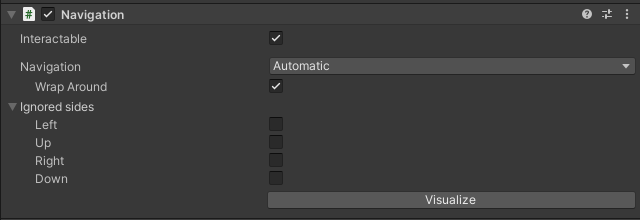
Interactable: When set to false, the navigation component is non-interactive.
Navigation Mode: Defines the navigation behavior:
None: No navigation.
Horizontal: Navigate elements left and right.
Vertical: Navigate elements up and down.
Automatic: Auto-detects the best navigation paths.
Explicit: Manually set navigation paths.
WrapAround: Available in Horizontal, Vertical, and Automatic modes. Enables wrapping navigation to create a grid-like navigation structure.
Ignored Sides: Specifies sides to ignore during navigation, allowing manual configuration of these sides.
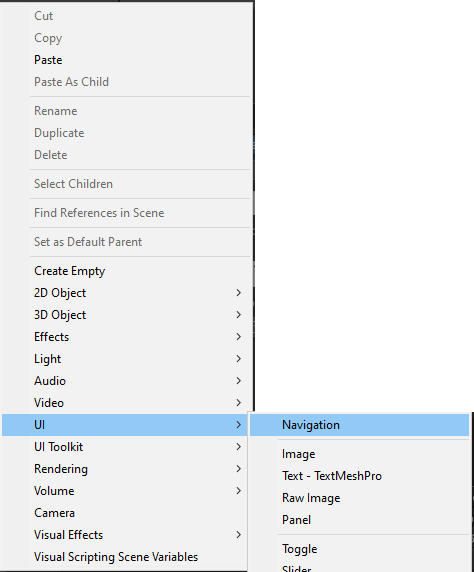
It can be found in the Hierarchy menu under UI>Navigation :